LOBBY
Game catalogue
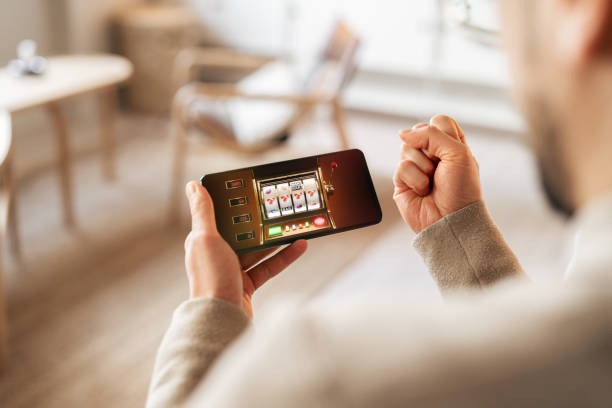
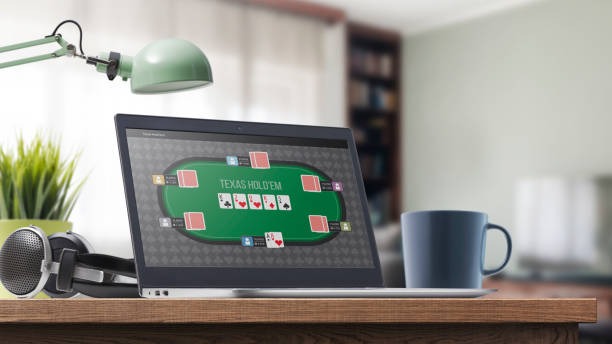
Browse casino and slot categories by screen size or use search for Live Baccarat Diamond, Fishing…
kapita55 puts Live Baccarat Diamond, Aviator Quick Arena and football markets behind one account, with DANA and QRIS status visible beside the cashier path.
Access is available only where local law permits.

Casino rooms come first, followed by live tables, slot features, fishing rounds and sportsbook markets arranged within one connected lobby.
Recognisable names such as Pragmatic Play, PG Soft and Habanero sit alongside additional studios across our casino and slot categories.
DANA, OVO, GoPay and QRIS appear as named choices rather than a single generic wallet button.
Home gives you the shortest route into the lobby, but several durable areas deserve a closer look before account activity begins.



A clear account path saves time before you reach any game. Start with your mobile number, complete the phone verification shown on screen and confirm that your personal…
A delayed login or wallet state needs a direct route, not another game menu. Live chat is positioned for active account and cashier questions. Email works when you need to attach a receipt or describe several transaction steps in writing. The mobile help entry stays inside the compact navigation so you can reach us without leaving the browser session. When contacting us, provide your account reference, rail name and transaction status, but never send your password or phone verification code.
Use live chat for an active login issue, wallet status question or cashier screen that has not changed. Keep the relevant transaction reference ready for the support agent.
Choose email when a DANA, QRIS, virtual account or bank transfer receipt needs written context. Remove unrelated personal details and include the account reference shown in your profile.
Open the compact menu on your phone and select help without closing the lobby. This path is useful when the issue is visible on the same mobile browser.
The mobile Home layout runs through your browser, so there is no claim of a separate application download. Login, phone verification, lobby search and cashier status follow one compact path.

Phone verification creates a clear checkpoint before full account access. Password controls then protect later sessions, while matching personal and wallet details support transaction checks.
An active mobile number receives the verification step used before account access. Never forward that code to another person, including anyone claiming to handle your wallet.
Use the logout option after accessing Home from a shared phone, tablet or computer. A private browser session also reduces the chance of saved credentials remaining available.
Keep the personal name on your account aligned with your local wallet or bank record. This supports receipt checks and later withdrawal verification when requested.
Open the game rules or sportsbook market conditions before confirming activity. Settlement follows the displayed title rules, table result or accepted market terms.
Finding separate game rooms, wallet instructions and support contacts offline creates unnecessary uncertainty. Our Home page connects those decisions in a traceable order: account access, category choice, cashier status and help.
Our Home route starts with phone verification and profile details. Scattered discovery may send you toward unrelated forms without a consistent account checkpoint.
Slots, live casino, fishing rooms and sportsbook markets use one category structure. Separate links can make it difficult to confirm whether the same session continues.
DANA, OVO, GoPay and QRIS appear by name in the cashier. Forwarded instructions may omit the current status or correct confirmation step.
The cashier retains a reference and visible state for each request. Offline messages can separate a receipt from the account action it belongs to.
Live chat, email and mobile help connect with the account flow. Unrelated contact details provide no clear link to your current session or transaction.
Footer terms and privacy wording stay attached to Home. Copied text elsewhere may not reflect the conditions displayed when you access your account.
Game-category data can differ by title, studio and round format, so we avoid presenting one return figure as if it applied across the whole lobby.
Check the individual title panel for its paytable, feature rules and any return data provided by the studio.
Table rules, accepted stakes and settlement details are displayed within the live table interface.
Multiplier and round mechanics vary between Aviator Quick Arena and other rapid-round formats.
Scoring, weapon values and target mechanics are specific to the selected fishing title.
The price and market conditions shown before confirmation determine the accepted sports selection.
Our browser-based Home experience is intended for supported regions in Indonesia, including customers accessing from Surabaya. Availability depends on local law, device connectivity and the account checks presented during access. DANA, OVO, GoPay and QRIS are shown for the Indonesian cashier context, while bank routes may include BCA, BRI, Mandiri and BNI. A map reference indicates regional relevance only; it does not replace eligibility checks or confirm that every service is available from every location.
The Home experience is defined by elements you can see and use rather than broad claims.
Casino rooms, slots and sportsbook markets share one verified account path, reducing repeated access steps when you switch between lobby areas.
DANA, OVO, GoPay and QRIS appear as individual cashier choices, letting you select the rail you actually use.
Mobile verification is completed before full account access, creating a clear step between entering details and opening the lobby.
The mobile search field helps you locate Daily Spin Rewards or Aviator Quick Arena without opening every slot category.
Live Baccarat Diamond sits within the dealer-table area, alongside roulette, Dragon Tiger and blackjack table context.
Live chat, email and mobile help remain close to account and cashier routes when login or wallet status needs attention.
These answers cover the practical questions we receive about reaching Home, opening an account, finding games and checking local cashier status. They also explain how the browser layout behaves across devices and where support sits when access stalls. Specific availability depends on local law, and transaction timing may vary while a wallet, bank or account record is being confirmed. Use the displayed account and cashier references when contacting us, as they help identify the exact action you are asking about.
Begin at the account entry shown on Home and complete phone verification before opening the full category menu.
Enter accurate personal details and complete the mobile verification prompt. Check that the resulting profile name matches the wallet or bank record you intend to use.
Open casino, slots, live tables, fishing rooms or sportsbook markets from the main menu. Mobile search can locate a named title without leaving Home.
Select DANA, OVO, GoPay, QRIS, virtual account or bank transfer, then follow the displayed confirmation step and retain the resulting transaction reference.
Use logout after a shared-device session and contact us if anything looks unfamiliar. Never include your password or phone verification code in a support message.